What Is a robots.txt File? How to Write One (With Examples)
Short answer
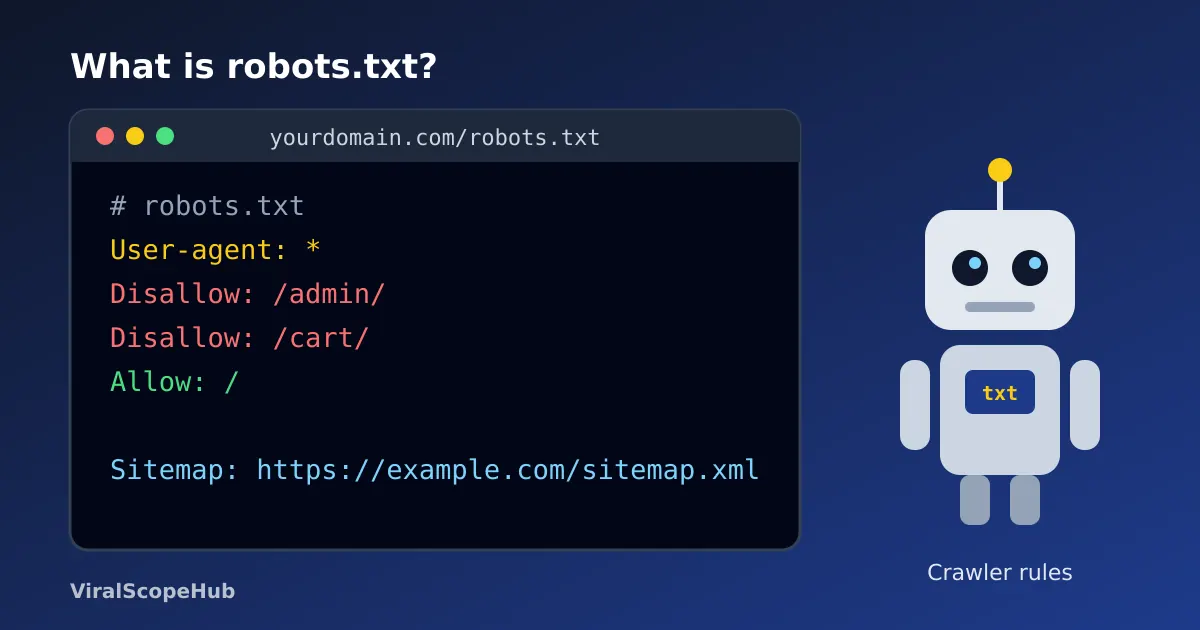
A robots.txt file is a plain text file at the root of a website that tells search engine crawlers which parts of the site they may and may not crawl. It lives at an address like example.com/robots.txt and uses a handful of simple lines: User-agent, Disallow, Allow and Sitemap. It manages crawler traffic, but it does not hide a page from search results. Build a clean one in seconds with our free robots.txt Generator.
Search engines find pages by sending out automated programs, usually called crawlers, bots or spiders. Before a well-behaved crawler starts fetching pages from a site, it asks for one small file first: /robots.txt. That file is a polite set of instructions from the site owner, along the lines of "please look around, but skip the shopping cart and the admin area". The idea dates back to the mid-1990s, and in 2022 it was finally written up as an official internet standard, RFC 9309, the Robots Exclusion Protocol.
You do not need to be a programmer to write one. A robots.txt file is just text, often under ten lines long. The tricky part is knowing what it can and cannot do, because a single wrong line can stop search engines from crawling your whole site.
Where the file lives
The file must sit in the top-level folder of the site, so its address is always https://yourdomain.com/robots.txt. Google's documentation is clear on two details people often miss:
- Crawlers do not look in subfolders. A file at
example.com/blog/robots.txtis simply ignored. - Each host gets its own file. Rules at
example.com/robots.txtdo not covershop.example.com,http://example.comor a different port. A subdomain needs its own robots.txt.
If there is no file at all, crawlers assume they may crawl everything. That is perfectly fine for many small sites.
The four lines you will actually use
| Line | What it means | Example |
|---|---|---|
User-agent | Which crawler the following rules are for. * means every crawler. | User-agent: * |
Disallow | A path the crawler should not fetch | Disallow: /admin/ |
Allow | A path it may fetch, usually an exception inside a blocked folder | Allow: /admin/help/ |
Sitemap | The full address of your XML sitemap | Sitemap: https://example.com/sitemap.xml |
A User-agent line plus the rules under it form a group. Lines starting with # are comments and are ignored. The field names are not case sensitive, but the paths are: Disallow: /Private/ does not block /private/. Google also notes that it ignores fields it does not support, including crawl-delay, even though some other search engines read it.
Three ready-made examples
1. Let everyone crawl everything (and point to the sitemap):
User-agent: *
Disallow:

Sitemap: https://example.com/sitemap.xml
An empty Disallow: line means "nothing is off limits". This is the friendliest setup for a blog or small business site.
2. Keep crawlers out of a few private or useless areas:
User-agent: *
Disallow: /admin/
Disallow: /cart/
Disallow: /search

Sitemap: https://example.com/sitemap.xml
Rules match from the start of the path, so Disallow: /search also covers /search?q=shoes and /search-results/. Add a trailing slash when you only mean the folder.
3. Block the whole site (for a staging or test copy):
User-agent: *
Disallow: /
That single slash blocks every page. It is handy for a private test site and a disaster if it gets copied to your live site by accident, which happens more often than you would think after a redesign.
For a real-world look, our own file at viralscopehub.com/robots.txt allows everything except a few private community account pages and an internal /api/ folder, then lists three sitemaps. Big sections such as the flights hub, the exam guides and the study pages stay fully open, because we want people to find them.
Wildcards and which rule wins
Google, Bing and other major search engines understand two wildcard characters:
*matches any run of characters.Disallow: /*.pdfblocks any path that contains.pdf.$marks the end of the URL.Disallow: /*.pdf$blocks only paths that end in.pdf.
When an Allow and a Disallow both match, Google picks the more specific rule, meaning the one with the longer path. If they are equally specific, Google uses the less restrictive one, so Allow wins. A crawler also follows only one group: the one whose User-agent matches it most specifically. If you write a separate group for Googlebot, Googlebot ignores the * group completely, so repeat any rules it still needs.
The big misunderstanding: robots.txt does not hide pages
This is the mistake that catches most beginners. robots.txt controls crawling, not indexing. Google says plainly that it is "not a mechanism for keeping a web page out of Google". If other sites link to a blocked page, Google can still list its address in results, usually with no description, because it was never allowed to read the page.
To keep a page out of search results, let it be crawled and add a noindex robots meta tag (our Meta Tag Generator can help you write the head tags), or put the page behind a password. Blocking a page in robots.txt and adding noindex actually works against you, since the crawler can never see the noindex tag.
It is not a security tool either. The file is public, anyone can read it, and badly behaved bots simply ignore it. Listing a secret folder in robots.txt is like putting a "do not open" sign on the one drawer you want people to leave alone.
VSH take: most small sites need far less in robots.txt than people assume. Our rule of thumb: block only pages that are useless to a searcher (carts, internal search results, login screens), always add the sitemap line, and never use robots.txt to hide something private. When in doubt, leave it out.
What about AI crawlers?
Many site owners now ask about bots that collect text for AI tools. Some companies publish their own user-agent names, for example GPTBot for OpenAI and Google-Extended, a token Google offers to control whether its crawled content may be used for its Gemini models. Google says blocking Google-Extended does not affect a site's inclusion in Google Search. Whether to block these bots is a business choice with no single right answer, and each company's own documentation is the place to check current names. Our generator can add commented-out stubs for these two bots so you can review them before switching them on.
Common mistakes to avoid
- Leaving
Disallow: /in place after launching a site - Blocking CSS or JavaScript folders that pages need to display properly, which makes it harder for Google to understand them
- Saving the file as
Robots.txtor in a subfolder (the name is case sensitive and it must be at the root) - Using robots.txt instead of noindex to keep a page out of search
- Typing paths without the leading slash; our generator adds it automatically
- Letting the file grow huge: Google reads only the first 500 KiB
Paths in robots.txt are compared in their percent-encoded form, so if your URLs contain spaces or non-English characters, our guide to URL encoding and the URL Encoder/Decoder show what those addresses really look like. Clean, simple addresses are easier to manage in the first place, which is where a good URL slug helps.
How to create and check yours
- Open the robots.txt Generator and pick a preset: allow all, block all or custom.
- List any paths to keep crawlers out of, one per line, such as
/admin/or/cart/. - Paste your sitemap address and copy or download the file.
- Upload it to the root folder of your site so it opens at
yourdomain.com/robots.txt. - Open that address in a browser to confirm it loads as plain text, then check the robots.txt report in Google Search Console if you use it.
Google generally caches robots.txt for up to a day, so changes may take a little while to be noticed.
This guide is general information for website owners and bloggers. ViralScopeHub is an independent site and is not affiliated with Google, Microsoft Bing, OpenAI or the IETF.
Frequently asked questions
What is robots.txt used for?
It tells search engine crawlers which parts of a website they may crawl. It is mainly used to manage crawler traffic and keep bots away from pages that are useless in search, like carts or internal search results.
Where do I put a robots.txt file?
In the top-level (root) folder of your site, so it opens at yourdomain.com/robots.txt. Crawlers do not look for it in subfolders, and each subdomain needs its own file.
Does robots.txt stop a page from showing in Google?
No. A blocked page can still appear in results if other sites link to it. To keep a page out of search, use a noindex meta tag or password protection instead.
What does Disallow: / mean?
It blocks crawlers from the entire site. It is useful for a private test copy but should never be left on a live website you want people to find.
Is robots.txt case sensitive?
The field names are not, but the paths are. Disallow: /Photos/ does not block /photos/, and the file itself must be named robots.txt in lowercase.
Does Google support crawl-delay in robots.txt?
No. Google ignores the crawl-delay line, although some other search engines may read it.



