Regex Cheat Sheet for Beginners: The Symbols You Actually Need (With Examples)
Short answer
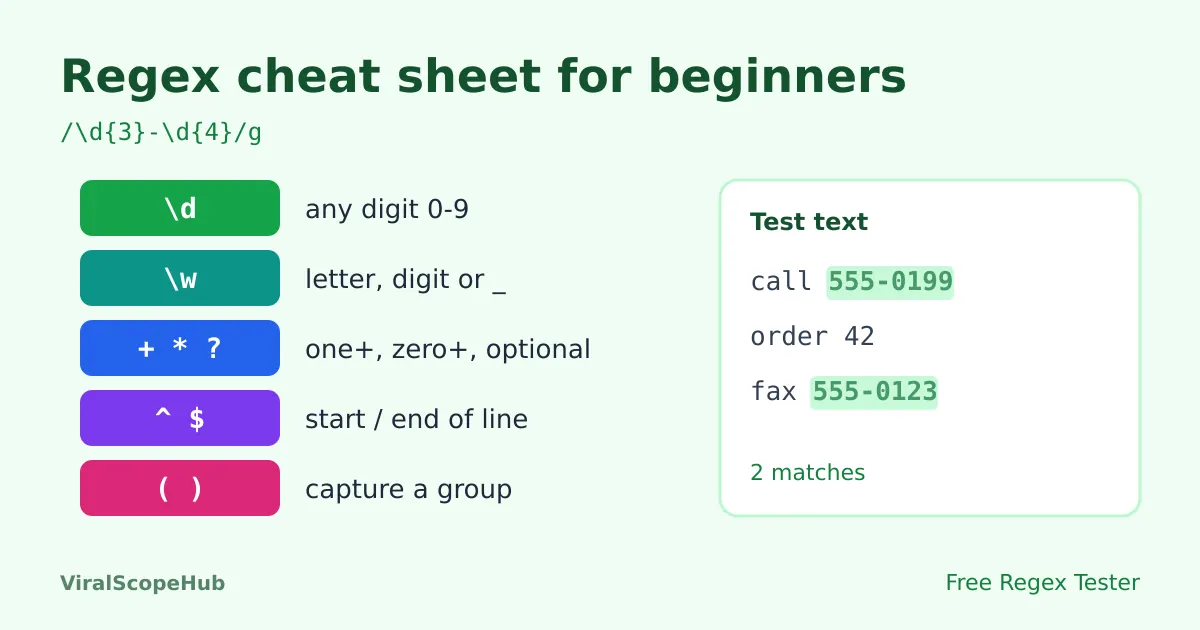
A regular expression (regex) is a short pattern that describes text you want to find, such as "three digits, a dash, then four digits". Most everyday patterns use only five building blocks: character classes like \d, quantifiers like +, anchors like ^ and $, groups in brackets, and flags such as g and i. The fastest way to learn them is to type a pattern into our free Regex Tester, paste some sample text and watch the matches light up. It runs in your browser, so your text is never uploaded.
Regex has a reputation for looking like a cat walked across the keyboard. A pattern like ^[\w.+-]+@[\w-]+\.[\w.]+$ is not exactly friendly. The secret is that it is made of a small set of pieces that repeat over and over. Learn those pieces and you can read most patterns you meet in code, spreadsheets, text editors and search-and-replace boxes.
This cheat sheet uses the JavaScript flavour of regex, which is what our regex tester uses and what most web tools follow. Python, PHP and most code editors work almost the same way for everything below.
1. Literal characters: the easy part
Letters and numbers match themselves. The pattern cat finds "cat" in "concatenate" and in "cat food". Matching is case-sensitive by default, so cat does not match "Cat" unless you turn on the i flag (more on flags below).
A handful of characters have special meanings: . ^ $ * + ? ( ) [ ] { } | \ /. To match one of them literally, put a backslash in front. 3\.5 matches "3.5", while 3.5 would also match "305" or "3x5", because a plain dot means "any character".
2. Character classes: "one of these"
| Pattern | Matches | Example |
|---|---|---|
. | Any single character except a line break | h.t finds hat, hot, h9t |
\d | Any digit 0 to 9 | \d\d finds 42 in "page 42" |
\w | A letter, digit or underscore (A-Z, a-z, 0-9, _) | \w+ finds whole words |
\s | Whitespace: space, tab, line break | \s+ finds runs of spaces |
\D \W \S | The opposite: not a digit, not a word character, not whitespace | \D finds the dash in 555-0199 |
[aeiou] | Any one character from the list | finds each vowel |
[a-z] [0-9A-F] | Any one character in a range | [0-9A-F] finds hex digits |
[^0-9] | Any one character NOT in the list (the ^ must come first inside the brackets) | finds everything except digits |
One beginner trap: \w only covers plain English letters. Accented letters such as "é" or Hindi text are not included in JavaScript unless you use the u flag with Unicode property escapes like \p{L} (any letter in any script).
3. Quantifiers: "how many"
| Pattern | Means | Example |
|---|---|---|
* | 0 or more of the thing before it | go*l matches gl, gol, goool |
+ | 1 or more | \d+ matches 7, 42 or 2026 |
? | 0 or 1 (optional) | colou?r matches color and colour |
{3} | Exactly 3 | \d{3} matches 555 |
{2,4} | Between 2 and 4 | \d{2,4} matches 12, 123 or 1234 |
{2,} | 2 or more | \s{2,} finds double spaces |
Quantifiers are greedy: they grab as much as they can. On the text <b>hi</b>, the pattern <.+> matches the whole string, not just <b>. Add a ? after the quantifier to make it lazy: <.+?> stops at the first closing bracket.
4. Anchors: "where"
^means the start of the text (or of each line with themflag).^Helloonly matches "Hello" at the very beginning.$means the end.\.pdf$matches file names that end in .pdf.\bis a word boundary.\bcat\bmatches "cat" but not the "cat" inside "concatenate".
Anchors are what turn "contains" into "is exactly". \d{5} finds five digits anywhere, but ^\d{5}$ only matches if the whole input is five digits, which is what you want when checking a form field such as a US ZIP code.
5. Groups and alternatives
(abc)groups characters so a quantifier applies to all of them:(ha)+matches "hahaha". It also captures what it matched, so you can reuse it.a|bmeans "a or b":cat|dogfinds either word. Wrap it in a group to limit it:I love (cats|dogs).(?:abc)groups without capturing, handy when you only need the grouping.(?<year>\d{4})is a named group, so code can read the match asyearinstead of "group 1".
Captured groups shine in search and replace. To turn dates like 2026-10-23 into 23/10/2026, search for (\d{4})-(\d{2})-(\d{2}) and replace with $3/$2/$1. Our regex tester has a replace box that previews this before you touch your real file.
6. Flags: change how the whole pattern behaves
| Flag | Name | What it does |
|---|---|---|
g | global | Find every match, not just the first one |
i | ignore case | cat also matches Cat and CAT |
m | multiline | ^ and $ work on each line, not only the whole text |
s | dotAll | Lets . match line breaks too |
u | unicode | Treats emoji and other characters correctly and enables \p{...} |
Ready-to-use patterns
Copy these into the regex tester and change them to fit your data. They are deliberately simple; real-world validation often needs extra rules.
- Whole number:
^-?\d+$ - Decimal number:
^-?\d+(\.\d+)?$ - Date as YYYY-MM-DD:
^\d{4}-(0[1-9]|1[0-2])-(0[1-9]|[12]\d|3[01])$(checks the shape, not whether 31 February exists) - Time as HH:MM (24-hour):
^([01]\d|2[0-3]):[0-5]\d$ - Hex colour:
^#([0-9a-fA-F]{3}|[0-9a-fA-F]{6})$ - Simple email check:
^[^\s@]+@[^\s@]+\.[^\s@]+$(good for catching typos; only a confirmation email proves an address works) - Double spaces:
{2,}, replace with a single space - Trailing spaces at the end of lines:
[ \t]+$with thegandmflags, replace with nothing - URL slug:
^[a-z0-9]+(-[a-z0-9]+)*$
Common mistakes (and quick fixes)
- Forgetting to escape the dot.
example.comalso matches "exampleXcom". Useexample\.com. - Missing anchors in validation. Without
^and$, "abc12345xyz" passes a "five digits" check. - Greedy matches eating too much. Add
?after*or+, or use a negated class such as"[^"]*"to match quoted text. - Patterns that slow to a crawl. Nested quantifiers like
(a+)+can make a regex engine try millions of paths on long input. Keep patterns specific and test them on long, non-matching text too. - Using regex for everything. Regex is great for lines, codes and simple formats, but it is the wrong tool for parsing full HTML or JSON. For JSON, use a parser such as our JSON formatter.
A five-minute practice routine
- Paste a few lines of real text into the regex tester: a list of phone numbers, file names or dates.
- Start with the most specific literal piece you know, then swap characters for classes one at a time.
- Add anchors once the matches look right, and turn on
gto see every match. - Add a line that should NOT match and make sure it stays unhighlighted.
- Use the replace box to preview the change before you run it on your real data.
Cleaning up a list afterwards? Strip repeats with the remove duplicate lines tool, compare the before and after versions in the text diff checker, and fix capital letters with the case converter. For more developer basics, read what URL encoding is or how to fix invalid JSON.
VSH take: Nobody memorises regex in one sitting, and you do not need to. Learn \d, \w, +, ?, ^, $ and brackets, keep this page bookmarked for the rest, and always test on sample text before running a replace on anything important. Studying for a computer science or coding exam? Our study tools and exam guides can help, and if you need a break, the free games are a click away. Off to a tech conference? Check fares on the flights hub.
ViralScopeHub is independent and not affiliated with Ecma International, Mozilla or any browser maker or programming language mentioned here.
Frequently asked questions
What is a regex in simple words?
A regex, or regular expression, is a short text pattern that describes what you want to find, such as "any five digits" or "a word that starts with a capital letter". Programs and text editors use it to search, check and replace text.
What does \d mean in regex?
\d matches any single digit from 0 to 9. \d+ matches one or more digits in a row, and \d{4} matches exactly four digits.
What is the difference between * and + in regex?
* means zero or more of the previous item, so it can match nothing at all. + means one or more, so at least one is required.
Why does my regex match too much?
Quantifiers like * and + are greedy and take as much text as possible. Add a ? after them to make them lazy, use a negated class like [^"]*, or add anchors such as ^ and $.
What do the g, i and m flags do?
g finds all matches instead of only the first, i ignores upper and lower case, and m makes ^ and $ work on every line instead of only the start and end of the whole text.
Is the regex tester free and private?
Yes. It is free, needs no sign-up and runs entirely in your browser, so the text you test is not uploaded anywhere.



